


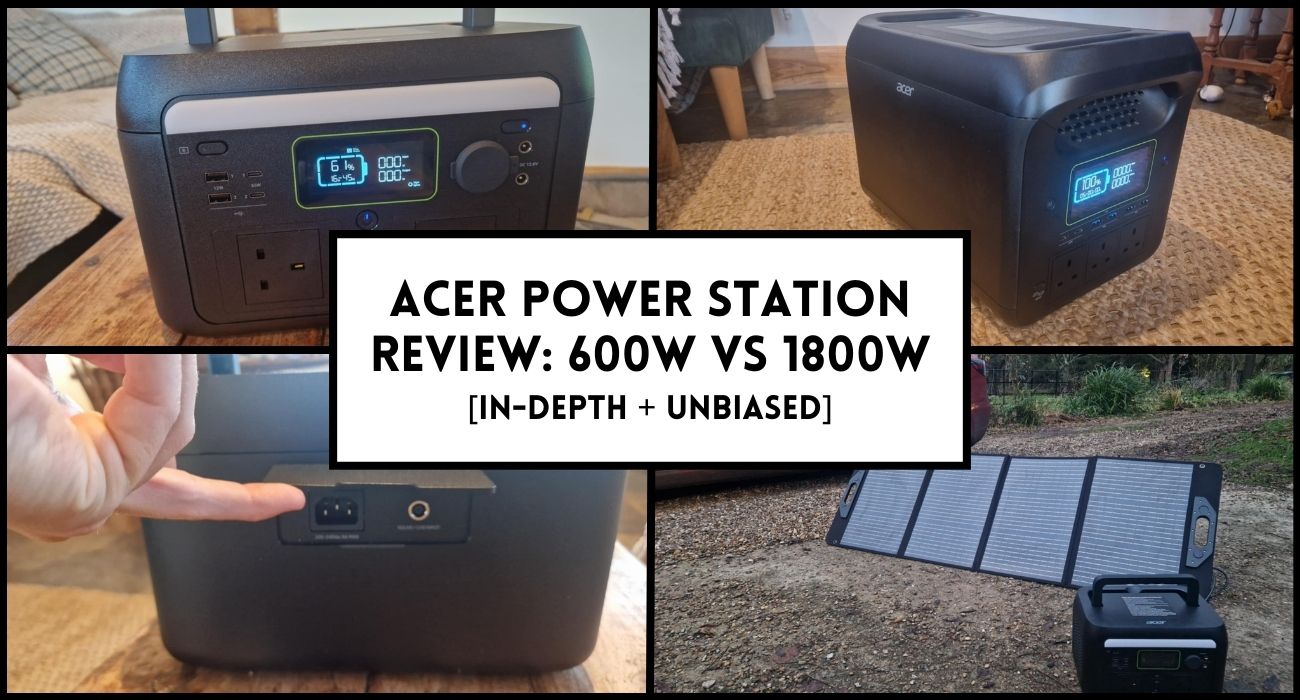
Acer isn’t a name most people connect with power stations.
Laptops. Monitors. Desktops … That’s what you expect from them.
So when I saw Acer releasing a line of portable power stations, I was curious.
And honestly, a little sceptical.
But after spending time testing both the 600W and the much bigger 1800W units, my view shifted pretty fast.
In this guide, I’ll run you through everything.
Let’s dive in ...
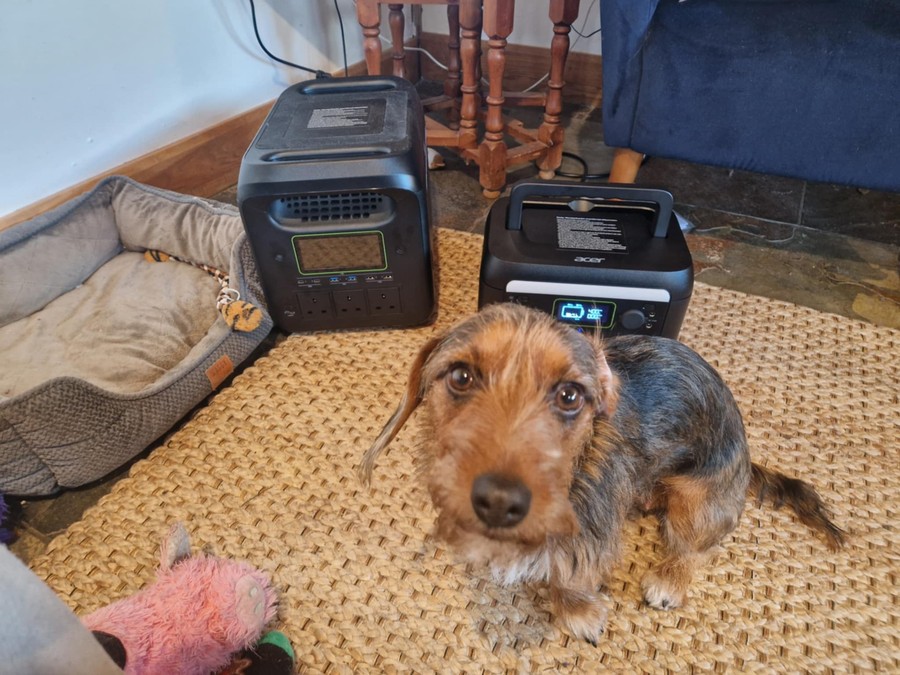
Before getting into each model, it’s worth pointing out a few shared traits across the Acer range.
Both stations use LiFePO4 battery chemistry, which is the same long-life, stable type you’ll find in basically all premium units today. It offers around 3,000+ charge cycles until the battery reaches 80% of its original capacity.
So you’re getting far better longevity than older lithium-ion or NMC batteries. For beginners who just want something safe, predictable and durable, this is ideal.
Acer has also kept things extremely simple.
There’s no app to learn, no complicated menus, no unnecessary smart features, and no intricate settings to mess around with. That may sound like a downside if you’re used to EcoFlow-style interfaces. But honestly, a lot of first-time buyers just want to plug things in and see them work.
The simplicity makes the stations feel less intimidating and reduces the chance of a new user misconfiguring something.
Another thing I genuinely like is the safety information printed on the top of each unit. It sounds silly, but it’s actually very practical.
Most people lose the manual within a week, and if you’re inexperienced with power stations, it's easy to forget the do’s and dont’s for long-term storage, charging, and maintenance. Having it printed right there helps reduce anxiety if you ever wonder whether you’re charging it wrong or storing it improperly.
And yes, it matters that Acer is a big brand stocked by mainstream UK retailers like Currys.
Many people simply trust a name they already recognise, and it helps remove doubts about warranty support or quality control. For a “first generation” power station release, these units feel surprisingly established and mature.
To give you a quick sense of the differences, here’s an easy technical overview of both models.
Quick note:
The Watt (so 600 or 1800) refers to how much output the station offers. So they can run devices up to that wattage.
The Wh (512 or 1229) is the capacity of each unit. This is how much stored energy you can use.
Meaning, if you run a 500W appliance through the smaller unit, it will last for a smidgen over 1 hour (512wh/500W = 1.02 hours)
Another example, if you run a 350W appliance through the larger unit continuously, it would last for 3.51 hours (1229Wh/350W).


At first glance, you can see Acer has set them up for totally different roles.
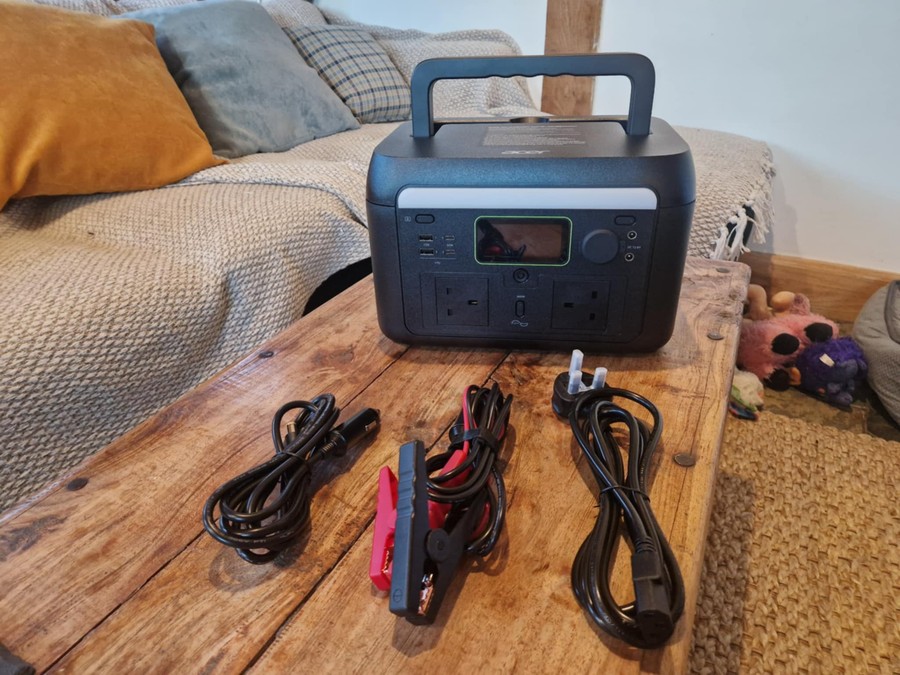
Let’s start with the smaller unit, because if you’re camping, road tripping or just need something simple and dependable, the 600W is the one most people will gravitate toward.
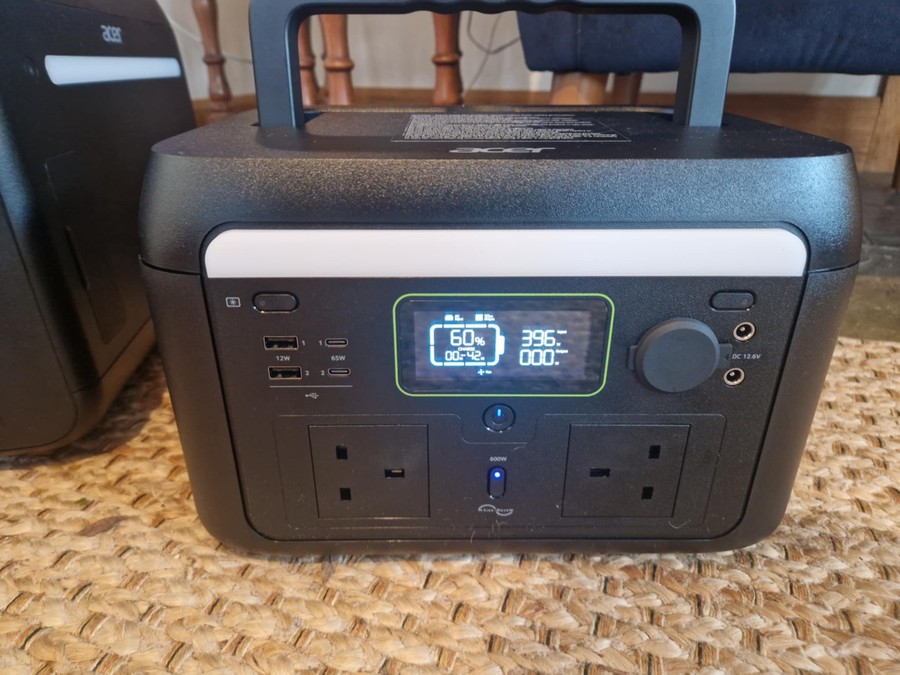
The first thing that struck me was how solid and clean the unit feels. The design is simple and practical, which I always appreciate in smaller stations.
The handle works well and feels comfortable, though there is a slightly plasticky feel to it if I’m being picky. The ventilation holes are neatly placed down the sides, which is good for airflow but immediately tells you this is not intended for use in bad weather.
This is opposed to something like the BLUETTI AC60 which I reviewed. This unit is completely sealed and designed to stand up to harsher elements.
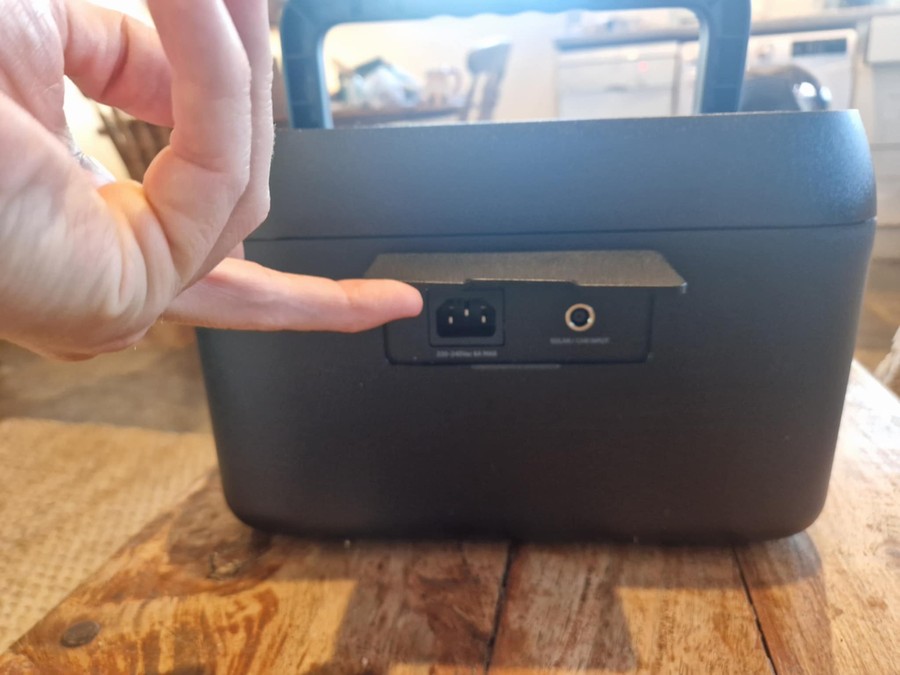
The two AC outlets are arranged on their sides, which is a design I’ve never seen before. At first, it looks odd, but then you realise how smart it is. Bulky plugs don’t clash with each other. Leads don’t get bent awkwardly. And you can fit two chunky adapters with no issue at all. Acer clearly put some thought into everyday usability rather than sticking to the standard “three plugs jammed in a row” approach.
The screen is basic, but honestly, that’s a good thing. It shows wattage in and out, time-to-empty or time-to-full, and the current battery level. I prefer this over the cluttered dashboards some brands use.
My one annoyance is the plastic flap covering the charging port. It doesn’t stay open properly and you end up holding it out of the way while plugging in the cable. Not a dealbreaker, but it’s the kind of small thing you notice every time you use the station.
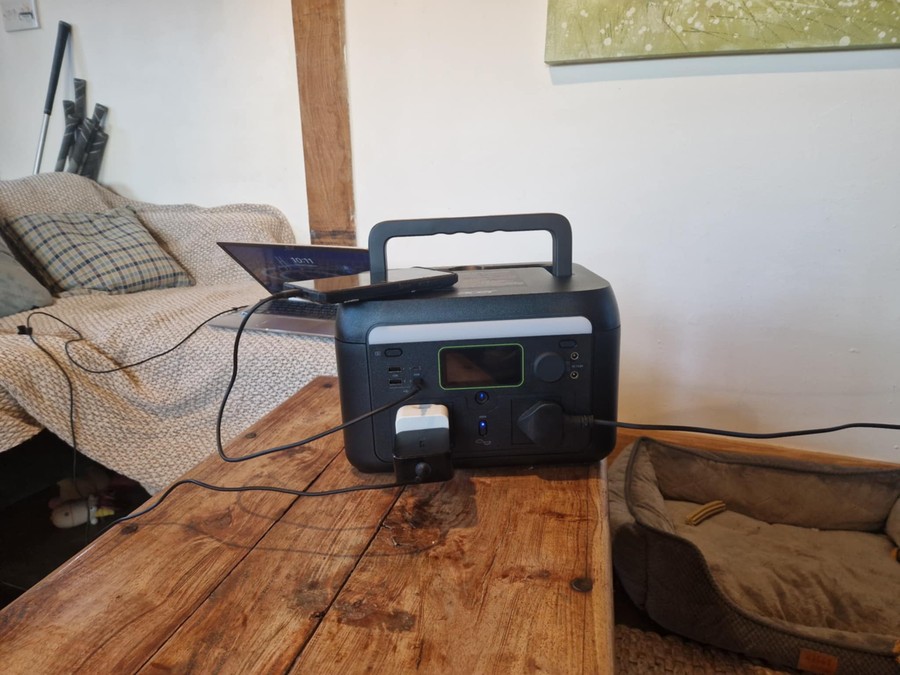
I put the 600W through the same tests I do with every mid-sized power station. Phones, tablets, laptops, lights, small fans, speakers; everything worked perfectly. The 65W USB-C ports are fast enough to charge most modern laptops, including MacBooks.
Next up was appliance testing. A toaster immediately tripped it, but that’s expected because they usually pull over 700–800W.
The good thing is the trip is instant and clean, and the station resets straight away without fuss. With a mixture of smaller devices and chargers plugged in simultaneously, it handled things effortlessly; and the fan only kicked in briefly after extended use.
Charging speeds were consistent. The mains charger draws just under 400W, so it fills the 512Wh battery in a little over 90 minutes. Solar input tops out at 200W, so in good sunlight you could recharge in around 3 to 4 hours, or 6 hours in more realistic conditions.
This unit makes perfect sense if your main goal is to run small or medium devices reliably.
Things like:
It’s the kind of power station you take camping with kids, where everyone has two devices that need charging and you just want something simple and hassle-free. I’ve tested dozens of “300W-class” stations and most feel too limited, but the 600W is that sweet spot where the unit is still portable but powerful enough to be genuinely useful.
As long as you don’t need to run tools or kitchen appliances, the 600W is great. And if you pair it with the 100W Acer solar panel, you can pretty much keep it topped up every day while camping.
Now let’s talk about the 1800W unit, because this thing is on a completely different level. The jump from 600W to 1800W isn’t just about power. It’s the battery size, the number of ports, the charging speeds, and the overall physical presence of the machine.
The first surprise was seeing crocodile clamps in the box. I don’t think I’ve ever reviewed a power station that included those by default. Interesting touch, though I assume most people probably won’t use them.
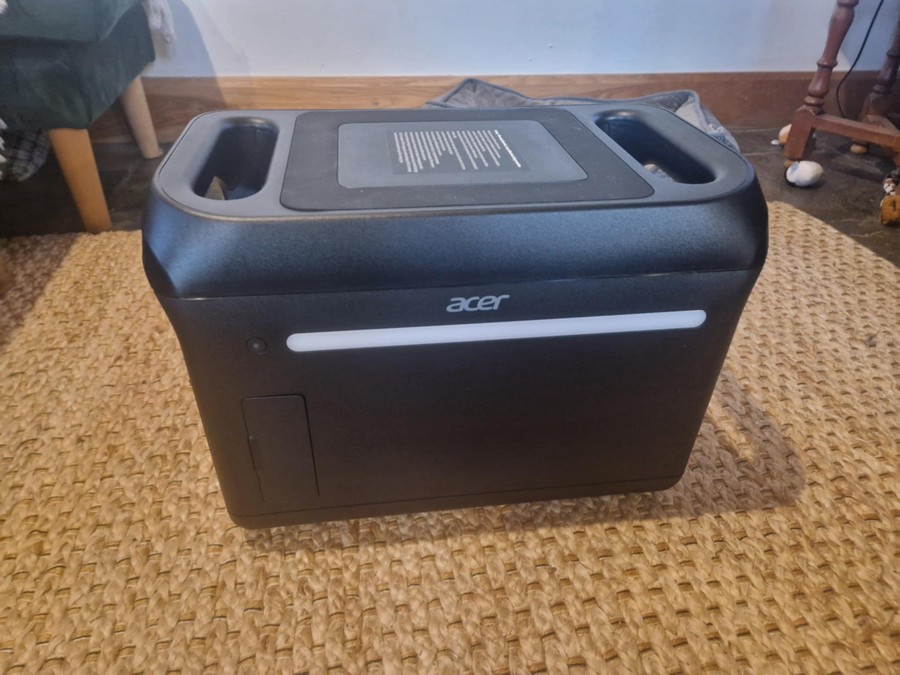
When I picked up the unit and looked around the sides, I naturally expected to find the main controls on the longer edge, but instead the buttons are placed differently to most stations I’ve used. One of the long sides houses a bright LED light instead, which gives the station a very clean and minimalist look, but also means you'll need to familiarise yourself with where everything is placed. Not a bad design choice, just unusual.
The anti-slip rubber top is great. It sounds like such a minor feature, but it’s genuinely helpful for placing phones or small devices on top without them sliding off, especially when you’re camping or using it on uneven surfaces.
One small thing to note; I’m not a fan of the plastic tabs on the charging port cover or the side flap. They just don’t stay open properly, and when a station is this large, you want the cables to plug in easily without fighting the lid.

The port selection is excellent. You’ve got six USB ports, including two powerful 100W USB-C sockets that can charge laptops, cameras and even some compact gaming devices.
For a big family camping weekend, this layout makes absolute sense. Kids charging phones, adults charging tablets or laptops, maybe a camera or two. Everything can run simultaneously without juggling cables.
The AC sockets, however, are placed low down on the face, and the spacing isn’t ideal. One thing I’ve found when testing other power stations, is if you have plugs with rigid downward-angled leads, they can struggle to fit while the station sits flat on the ground.
In some cases, you might need to raise the unit slightly to accommodate certain plug types. It’s not a huge issue, but worth knowing.
What I really like is that the light is on the side instead of the front panel. It means you can turn the light on at night without blasting your eyes if you’re facing the screen.
The build quality overall is excellent. This thing feels sturdy, and with the large handles, it’s far easier to lift than many other stations in this size range.

Time for the fun part.
I ran a wide range of appliances, devices and tools through this station. A kettle, our TV, laptops, lights, multiple USB chargers and more. Here's how it performed:
The screen shows wattage in and out clearly, and the remaining runtime estimates are simple enough for beginners to understand. It’s exactly the kind of information you want without overwhelming the user.
One thing worth mentioning is that the 1800W unit still can’t run everything. Many high-draw appliances (especially kitchen items) exceed 1800W or spike beyond the 3000W surge limit. So it’s important to be realistic about what this station can and can’t do. But for a lot of off-grid boat/campervan or home backup scenarios, it’s more than capable.
One of the best unintended (or intentional, I’m not sure) features is how well this fits under a desk. Because of the shape and the forward-facing outlet panel, it tucks into tighter spaces than some bulkier competitors.
It’s definitely not designed for rugged outdoor use or bad weather. The ventilation system and port covers aren’t weatherproof. But indoors or in sheltered camping setups, it performs brilliantly.
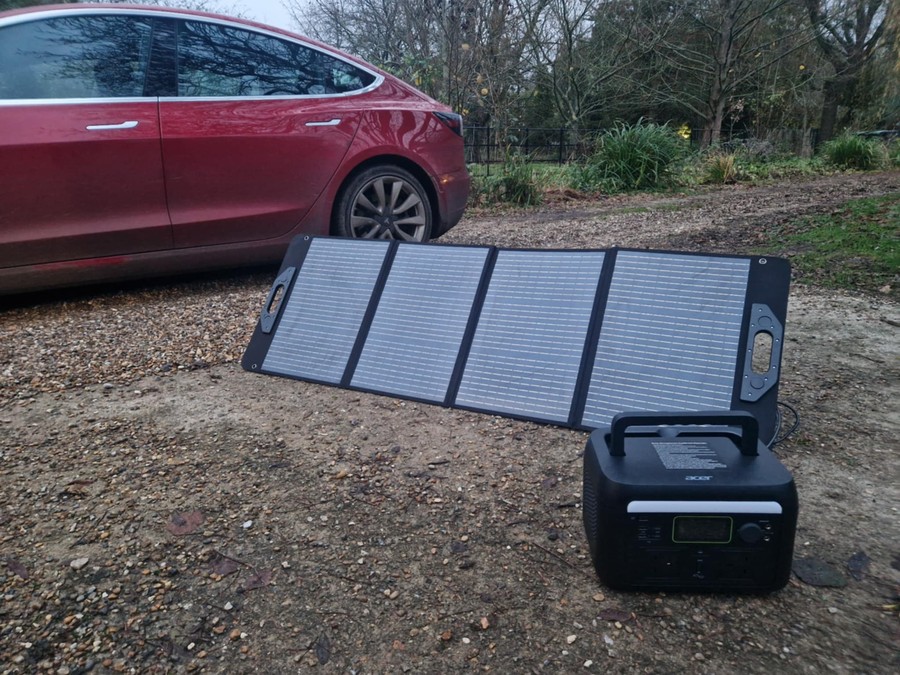
Acer’s 100W solar panel feels sturdier than many competing panels at the same wattage. The velcro tabs are very strong, and the whole panel looks well stitched and reinforced. It’s light enough to carry easily, though like all 100W panels, you wouldn’t want to walk long distances with it.
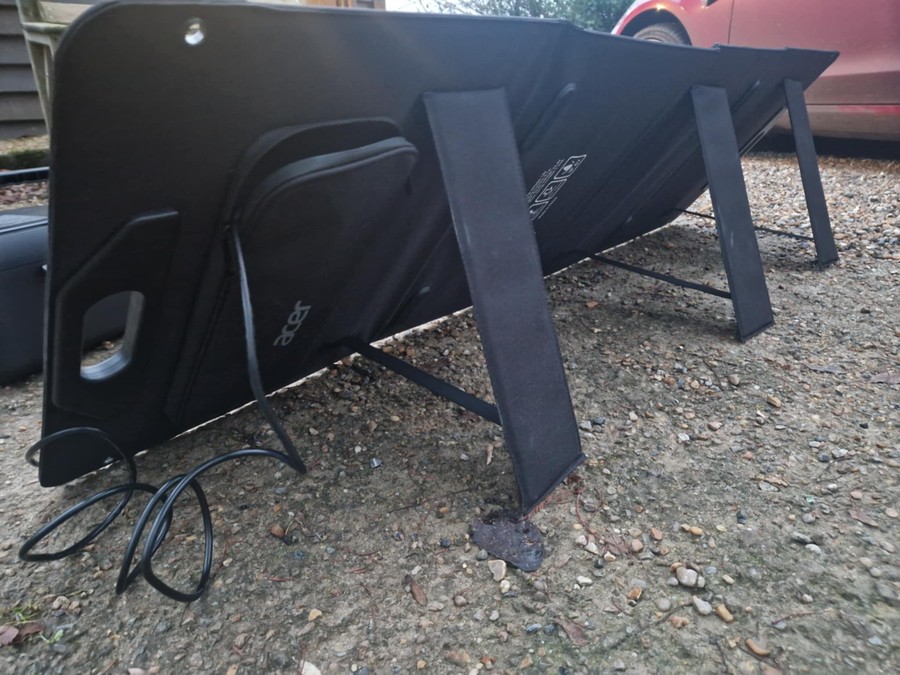
One thing I realised is the stands are unlike any stand I’ve seen before. They have this sort of retractable strap system. I mean, it worked perfectly well and means you can adjust the height the unit faces. I found it slightly awkward setting up as they tend to ping in when you try to unfurl the others. But that’s me being very picky.
Performance-wise, it behaves exactly as expected. And the thing to realise is that a 100W panel is never going to produce miracles.
On a perfect sunny day, you’ll get 70–90W. Enough to top up the 600W model comfortably throughout the day.
If you want to run the 1800W full-time on solar, you'll want to pair multiple panels because at 100W each you’d need around 13 hours of ideal sunlight to fill it from empty. The good news is the 600W model supports up to 200W, and the 1800W supports up to 400W, so with a larger setup, you can realistically recharge either one in 3 to 4 hours of strong sun.
After testing so many stations from BLUETTI, Jackery, ALLPOWERS and Zero Breeze, Acer sits in an interesting position. It doesn’t try to compete on smart features or fancy app integration the way EcoFlow or BLUETTI does.
Instead, it focuses on straightforward operation, simple interfaces and reliable power output. In terms of build quality, it feels closer to Jackery than most newcomers I’ve tried, and that’s a good thing.
Where some brands overload their units with niche features, Acer keeps things accessible. The 600W especially feels perfect for first-time owners who don’t want a complicated learning process.
The 1800W offers a good amount of power but still lacks the ability to run certain kitchen appliances like kettles, something EcoFlow’s higher-surge units sometimes manage due to better peak handling.
But Acer’s USB layout is genuinely better than many competitors. Six USB ports on the 1800W model, including two 100W Type-C, make family or group charging extremely practical. And the LiFePO4 battery across both stations gives Acer a long-term advantage in durability.
Overall, Acer enters the space somewhere between Jackery's dependability and BLUETTI’s practicality, but with a design language that feels unmistakably Acer.
For beginners or casual users, this is the practical choice.
Just remember that 1800W won’t power everything. If your house relies on kettles, microwaves or high-draw tools, you’ll need a bigger unit. Something like the Anker SOLIX or the BLUETTI AC200L is better suited to these needs (just my personal preference based on those I’ve used).
Or … just check out the ACER 3000W model! Though I haven;t personally tried this yet.
Acer may be new to the portable power station market, but these two units really surprised me.
Both the 600W and 1800W power stations are extremely well built, thoughtfully designed and powered by long-lasting LiFePO4 batteries. They feel like products made by a company that actually understands everyday users, not just tech enthusiasts.
The 600W model is the practical everyday hero. Perfect for camping, travel and device charging. The 1800W model is a step into home backup territory, with plenty of ports, solid output and great usability, even if it still can’t run some high-draw appliances.
Overall, Acer has done a great job with this first lineup. If you want a station that’s simple, sturdy and easy to use without any unnecessary complications, these are well worth considering.
Now over to you …
Which unit will you be picking up?
Or, do you have any questions you don’t think I covered above?
Just drop a comment below and I’ll happily help where I can!
Other posts you may like:



Leave a comment
Let us know what you think!